Expert Tips
Quantifying Light-Frame Components for LCA
An approach to accurately capturing light-frame elements not explicitly modeled in BIM wall and floor assemblies
For more information on LCA, see Introduction to Whole Building Life Cycle Assessment: The Basics.
When performing life cycle assessments (LCA), it is important to use accurate material quantities. To help with this, several common LCA tools, including One Click LCA, have the ability to extract data directly from a BIM model, most commonly a Revit model. However, there are many building components that BIM designers often do not model individually such as members of light-frame wood assemblies. This article describes one approach to accurately capture those building components in an LCA while still being cognizant of the practitioner’s time. Note that the level of detail described in this article is not always necessary depending on the purpose of the LCA, type of project, project phase, and project goals.
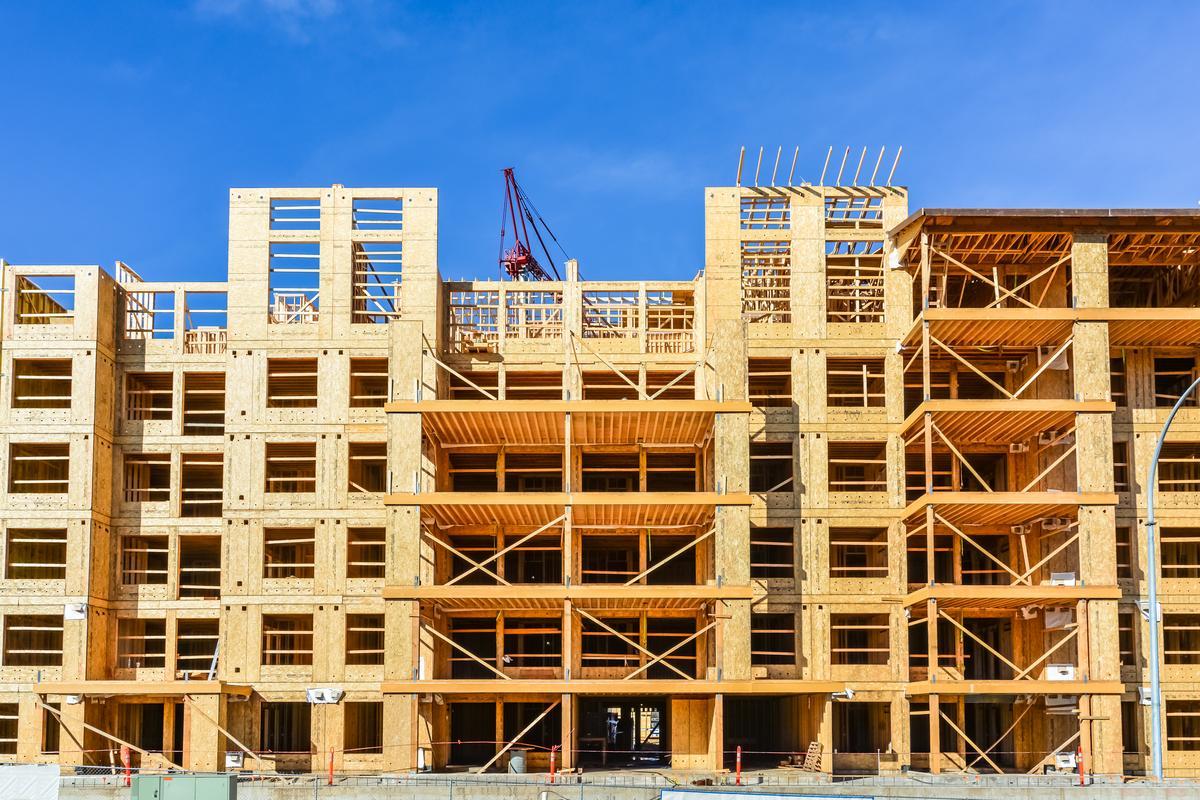
Typical items that are missed or not accurately quantified when exporting a BIM model include the following: light-frame wood members in walls assemblies (wall studs, boundary studs, top and bottom plates, window and door headers, sheathing) and floor and roof assemblies (joists, rim joists, sheathing), as well as cold formed steel (CFS) components and concrete reinforcement. These items are not usually modeled at a detailed level in the structural engineer’s or architect’s BIM models because of time, drawing clarity, and liability. Instead, structural drawings typically include this information in the form of details, schedules, plan notes, or linework. This information will still be helpful to the LCA practitioner. However, since they do not exist as 3D elements, and therefore cannot be directly exported from the BIM model to an LCA tool, additional BIM coordination and analysis may be required to obtain accurate material quantities for these items.
BIM Coordination for Non-Modeled Components
For the purposes of this guide, it is assumed the LCA will be conducted using One Click LCA, or a similar tool utilizing the import of a Revit model.1 The following process centers around the use of CTC Spreadsheet Link (see the CTC BIM Project Suite User Guide, page 188), which allows the Revit user to assign additional information to modeled elements; this information can then be exported to Excel for use by the LCA practitioner.
In order to facilitate this work, it is important to coordinate with the BIM team for alignment on standard modeling practices that will streamline material quantity takeoffs. Shown below is information that can be useful in the CTC Spreadsheet Link export for typical elements where this process is used:
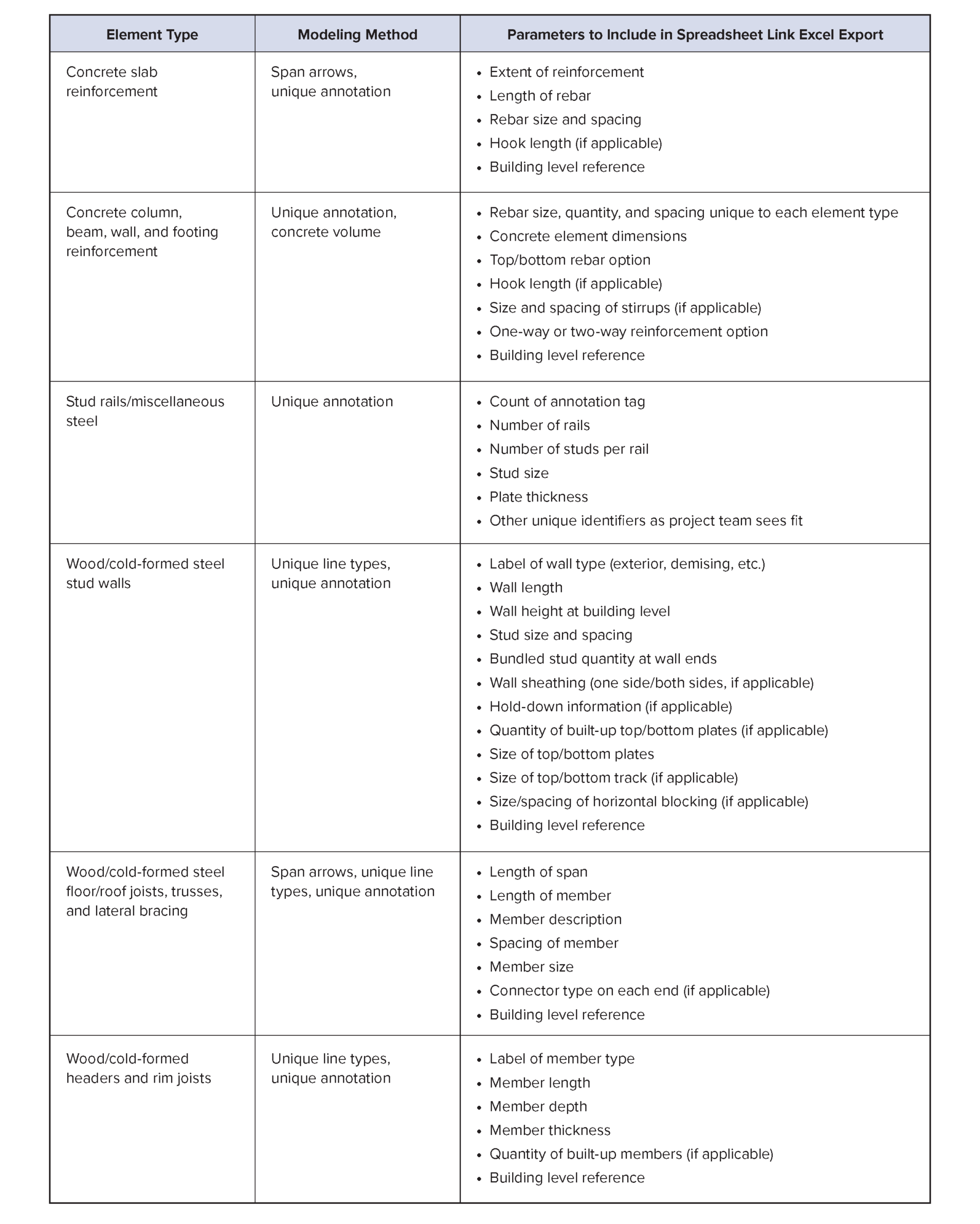
Each of the parameters included in the CTC Spreadsheet Link populate additional columns of data in Excel intended to provide enough information so that once the data is exported, using simple calculations, it is possible to determine total material quantities. Note that, while these calculations are fairly straightforward, it’s important that the person performing them has sufficient structural knowledge to ensure the quantities are accurately calculated.
Once the calculations taking the Excel exported data to total material quantities have been completed, those values can be imported directly into the LCA tool. If the LCA tool allows, it is helpful to include as much information about each material in the comment section as possible (ex. 2×6 Wood Stud Exterior Bearing Wall Level 2). This makes modifications easier, as well as facilitating in-depth reviews of the results, such as understanding the LCA impacts at specific building stories, LCA impacts for stories above or below a podium, impacts due to various wall types (gravity vs. lateral, interior vs. exterior, etc.), or many other divisions. Additionally, this provides documentation of the assumptions made throughout the course of the take-offs, whether they are to be used by an expert reviewer, a building department, or for comparisons at a later date.
With a little planning on the part of the BIM team, determining accurate material quantities for LCAs, including those on buildings with light-frame assemblies, can be a painless process. Utilizing the approach outlined in this paper is one method to assess the potential environmental impacts of wood buildings. These results can then be used in comparative whole building LCAs to choose systems with the lowest environmental impacts.
Article contributed by Arizona Dabrusin of DCI Engineers and Jessica Martinez.
1. If you’re unsure of what LCA tool to use on your project, refer to the Woodworks’ article on LCA resources and tools for calculating embodied carbon of different structural systems.